Introduction
Roles were created to allow restricted access to features enabled on the platform. For example, Roles allow you to let a User list items only, or edit and create them.
Roles can be created at Vendor and Client level.
By default the only Role in the platform is Administrator, which allows a User to view and edit anything they have access to.
Create a Role
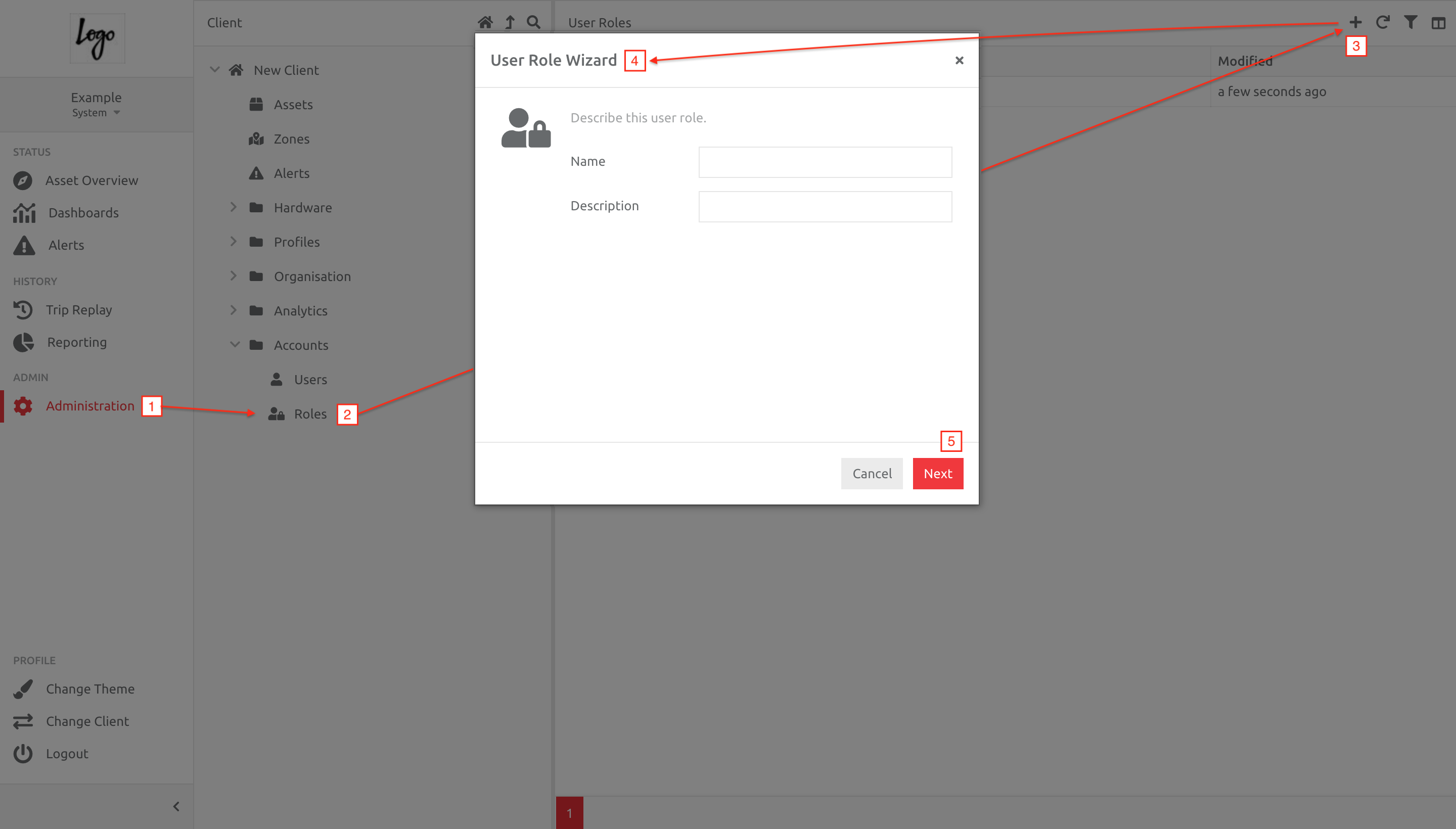
1. Navigate to Administration,
2. Choose Roles under the Accounts folder,
3. Click the Plus button,
4. Enter the information in the Wizard,
5. Then click Next.
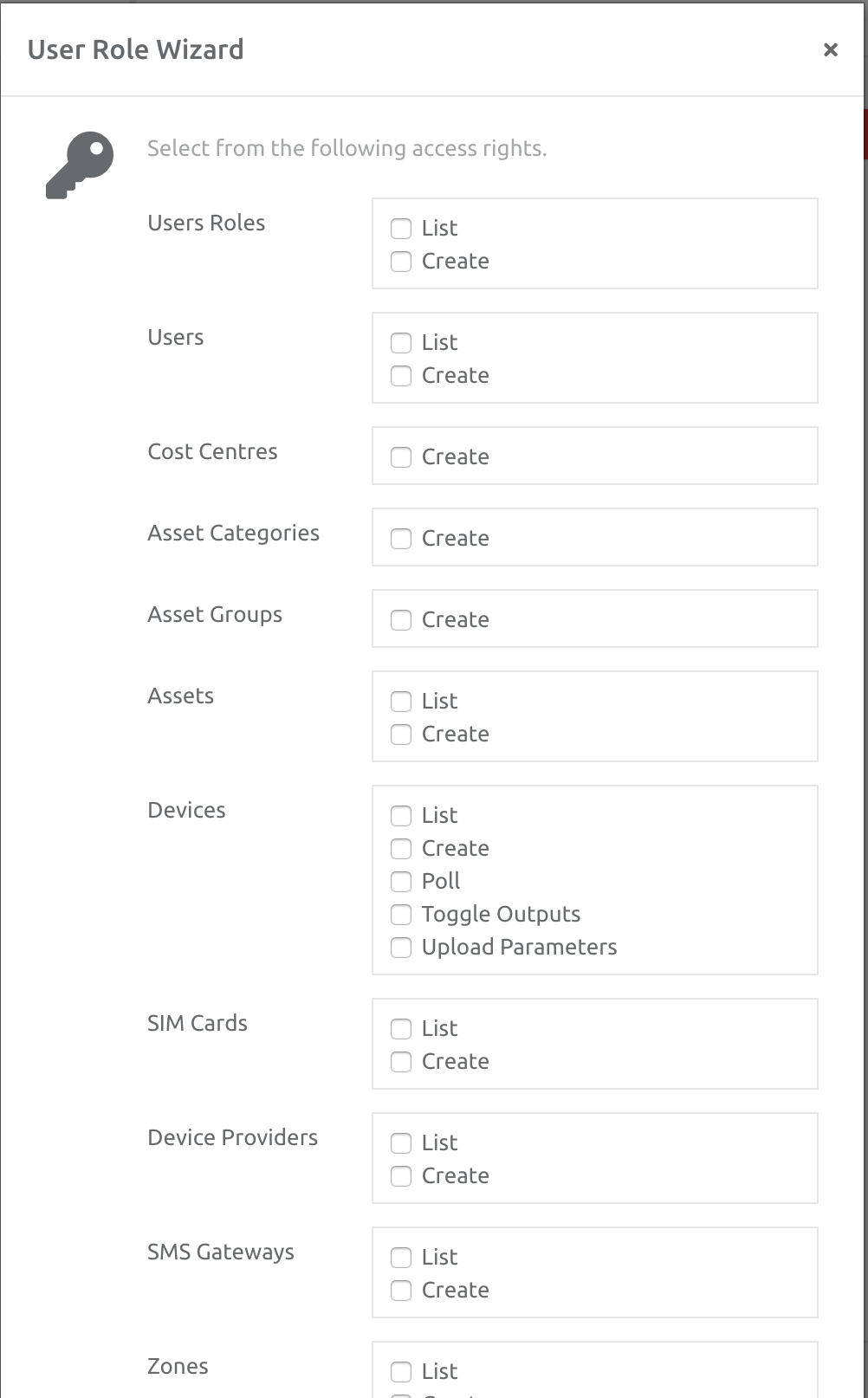
Choose the access rights for the User Role, according to the options available, then click Save.
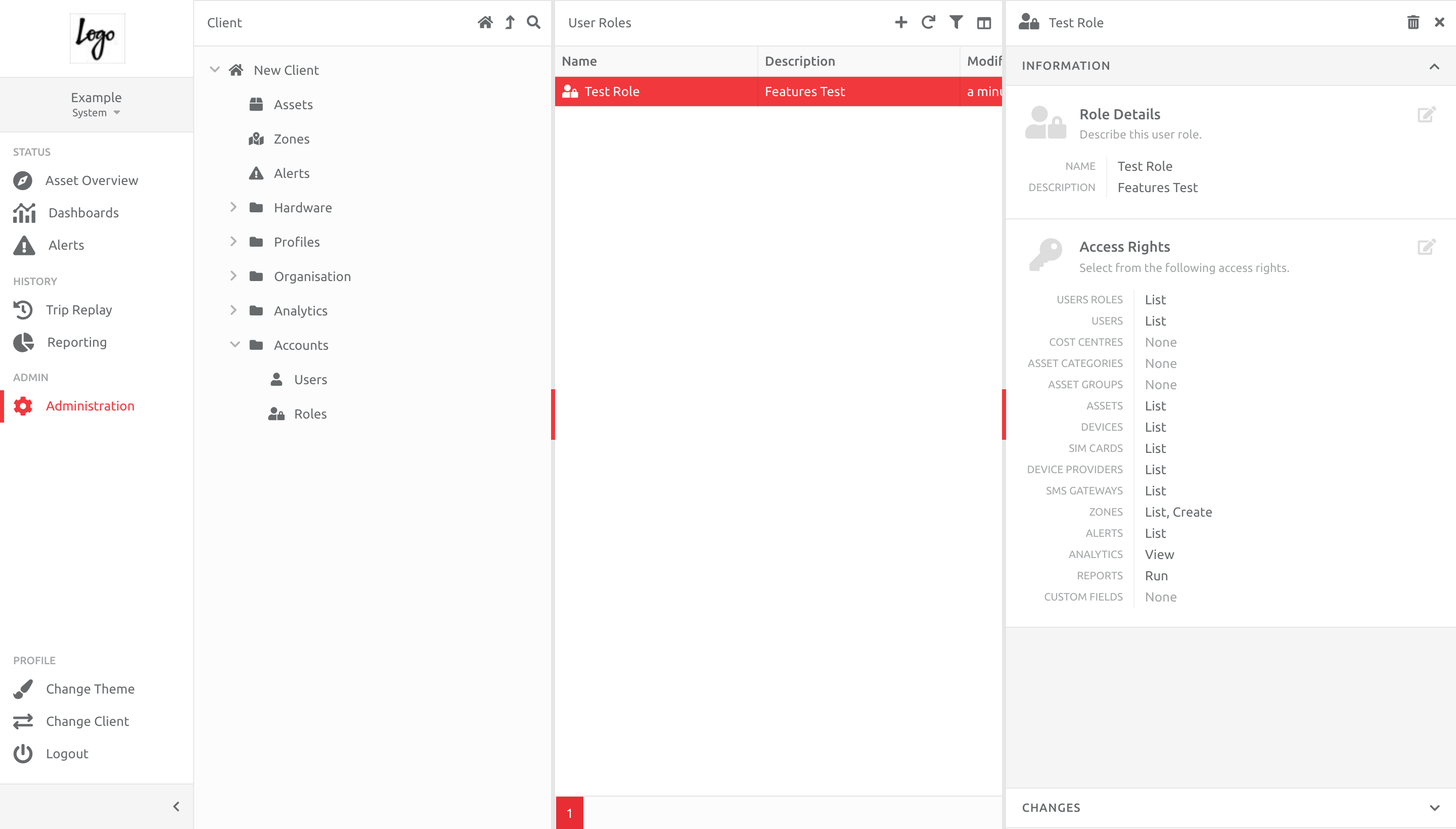
Once completed, the Role will appear in the list, with the items chosen. This can be edited as needed:
Add a Role to a User
A Role can be added to a User, either when creating the User, or by editing any existing User. This can be done individually, or in bulk.
Comments
0 comments
Please sign in to leave a comment.