Introduction
The Overview Asset Search feature can be used to find an Asset based on it's:
- Name
- Linked Device Serial/IMEI
- Any Asset-related Custom Field
Using the Search Function of Asset Activity
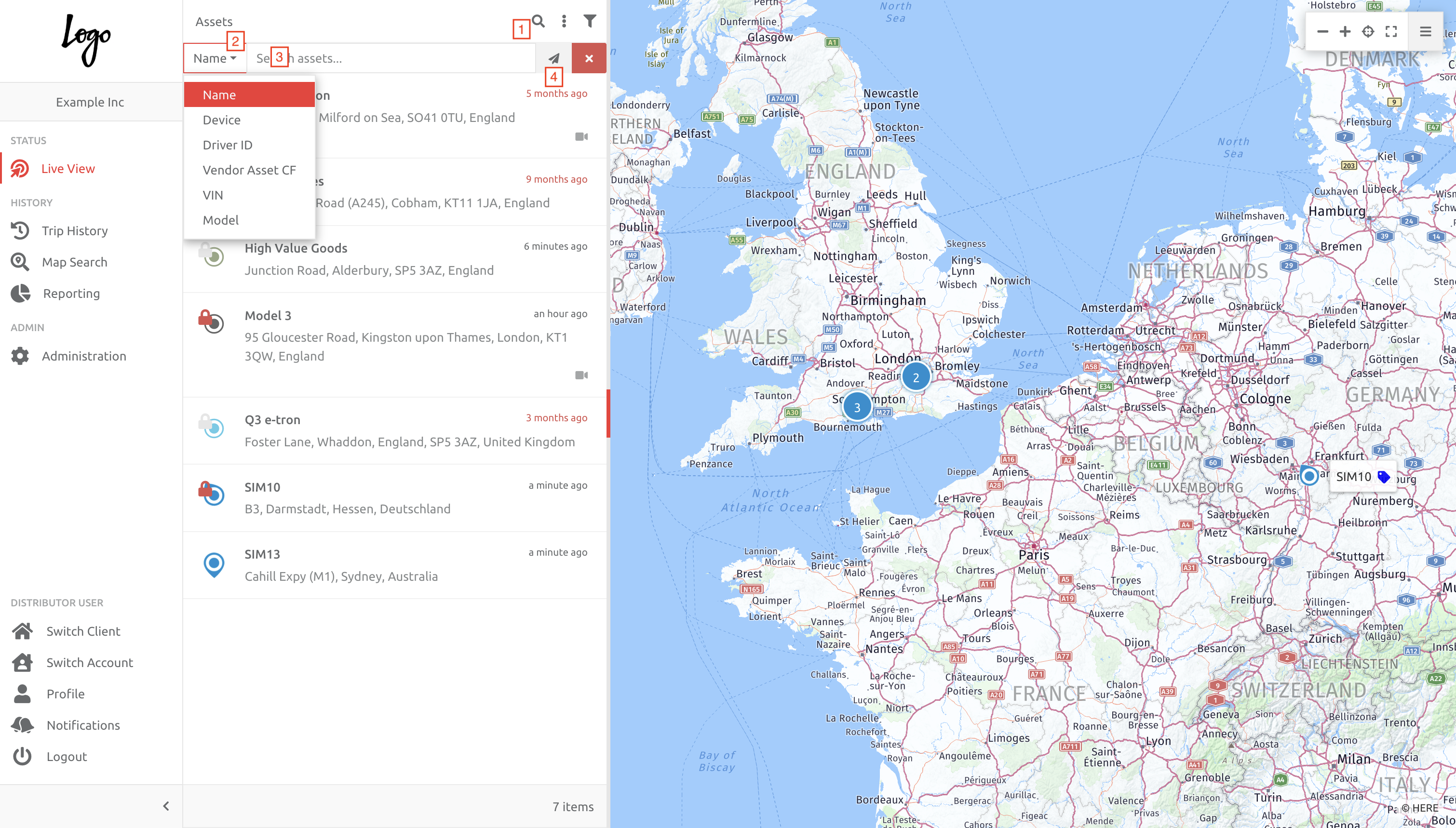
To search for an Asset based on any of the above,
1. Click the magnifying glass (search function),
2. Choose the item related to the search from the drop down, left of the text box,
3. Enter the text, and
4. Hit enter or click the send button.
Please Note:
In the drop down list [2] above,
1. Name = Asset Name/characters, and a standard input field.
2. Device = Device IMEI/Serial, and a standrad input field.
3. All the rest are Custom Fields created on Assets.
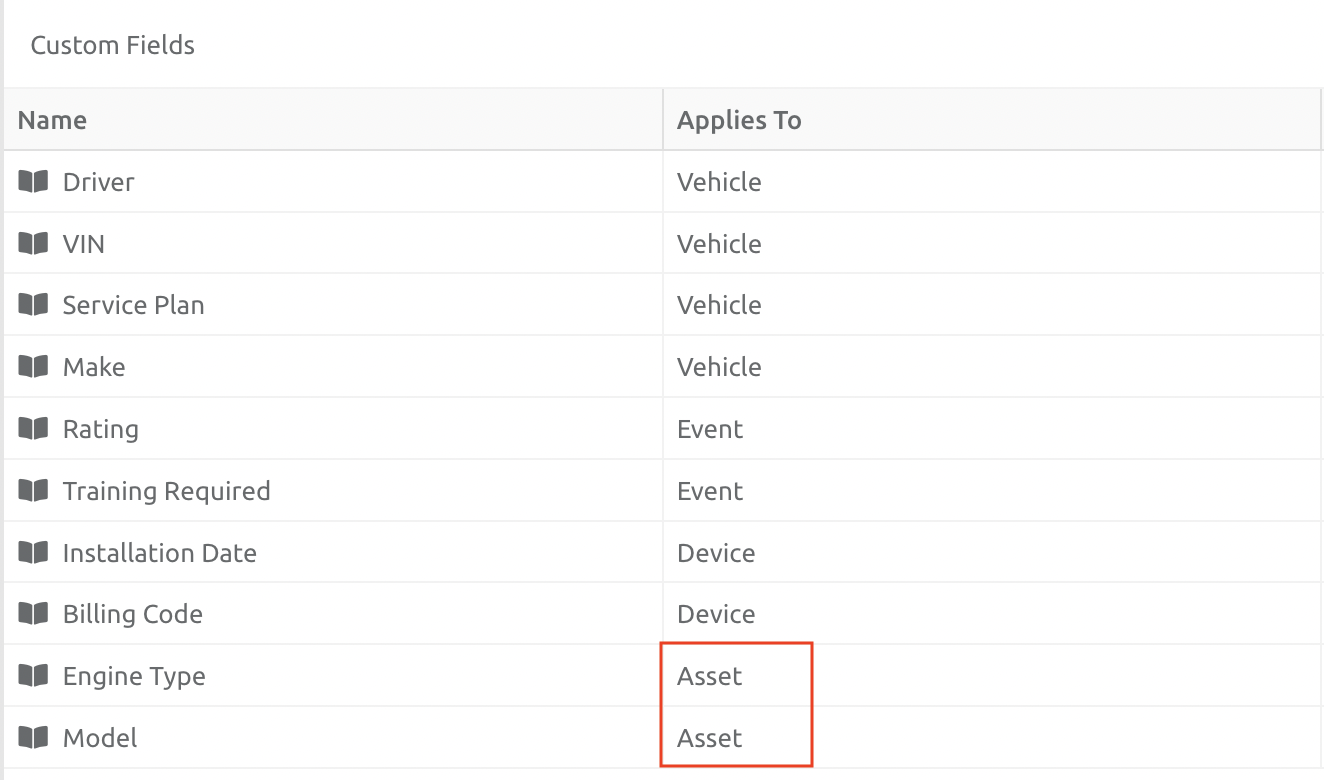
Only Asset-related Custom Fields appear in the drop down list. In the example list below, only 2 items will appear in the drop down list:
Comments
0 comments
Please sign in to leave a comment.