Introduction
The platform provides Trip History information for devices without an Active Input, such as Asset Tracking devices.
Viewing Trips on Asset Tracking Devices
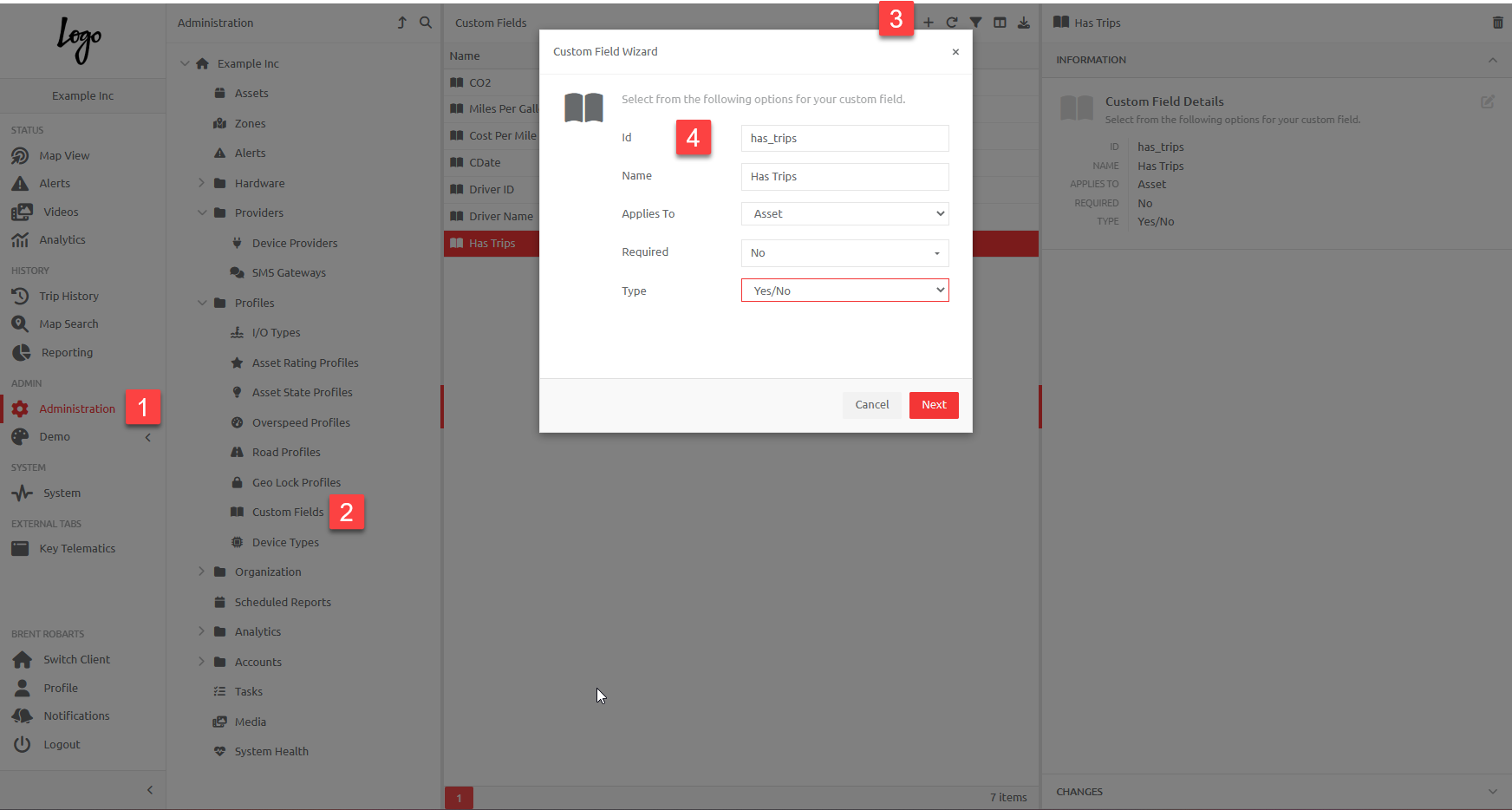
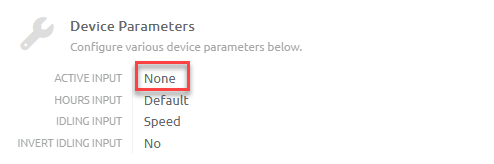
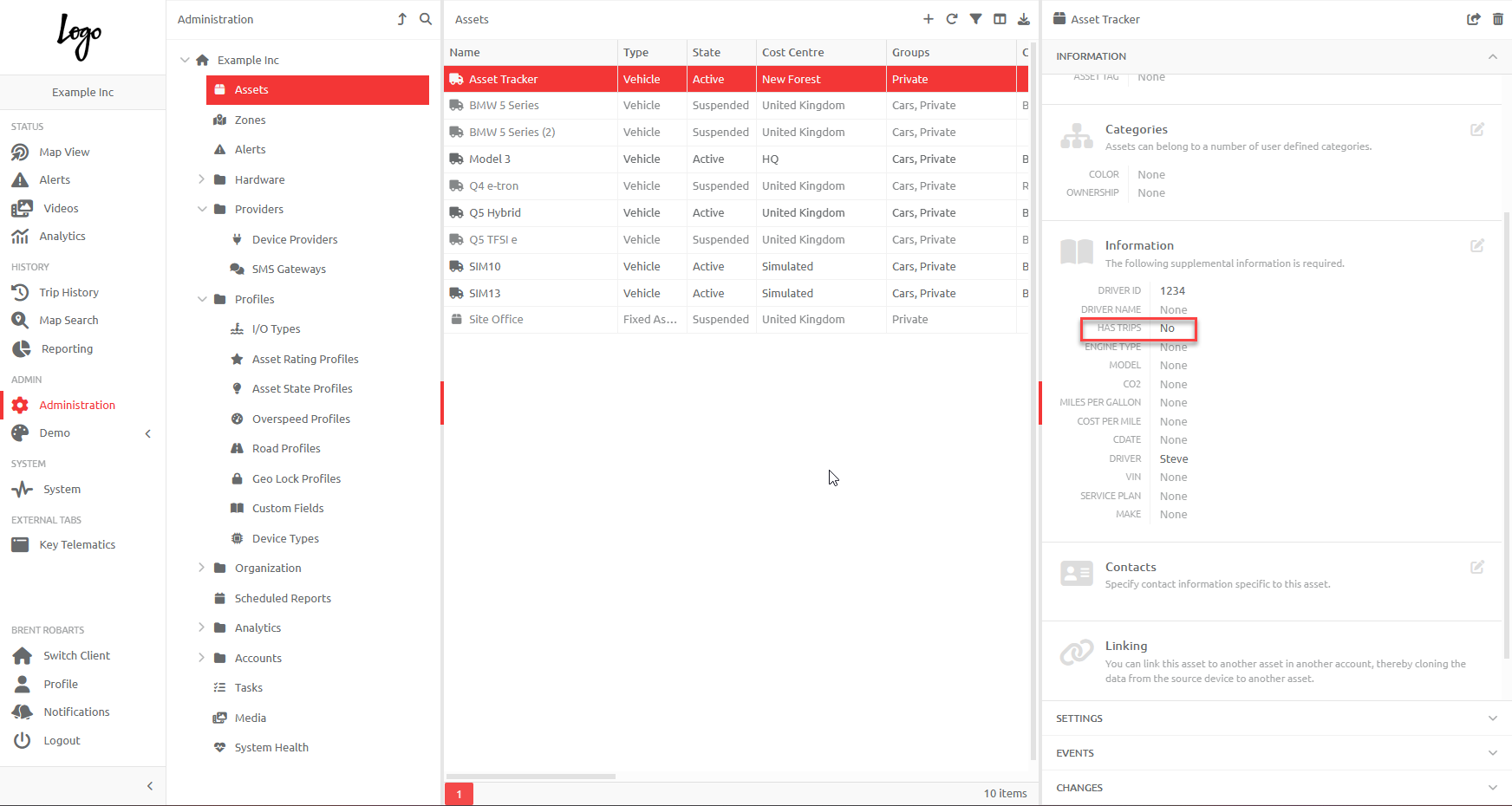
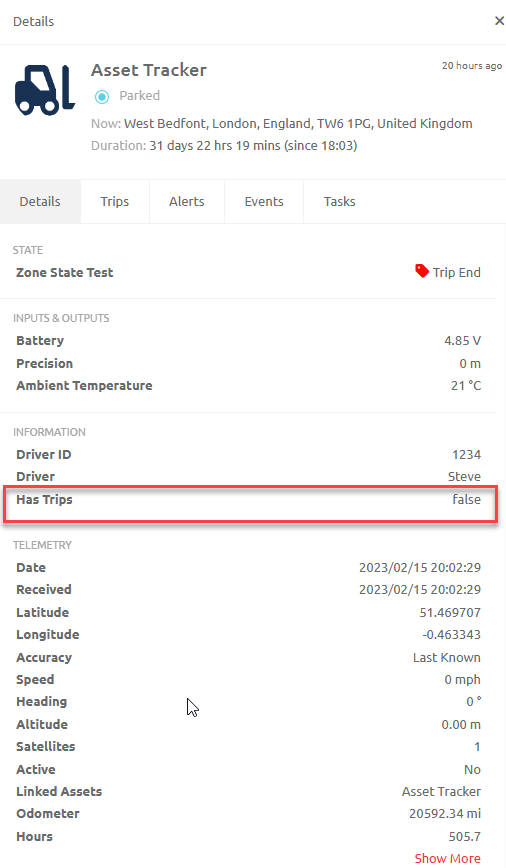
Should the User wish to view Trip Histories on an Asset Tracking device, which has no ignition input, a Custom Field needs to be created with an ID "has_trips". In the Device Settings, ensure that the Active Input is set to "None". The Asset linked to this Device will automatically apply the Custom field, which will be seen in the Asset Information and on the Overview Page. Please see below:
1. Create a Custom Field with ID "has_trips", by navigating to Administration - Custom Fields and clicking on the + button, as follows:
2. Set the Active input in the Device Settings to "None"
3. The Asset to which the Device is Linked will now display the Custom Field in the Information section, and will display "Has Trips - false" on the Overview page:
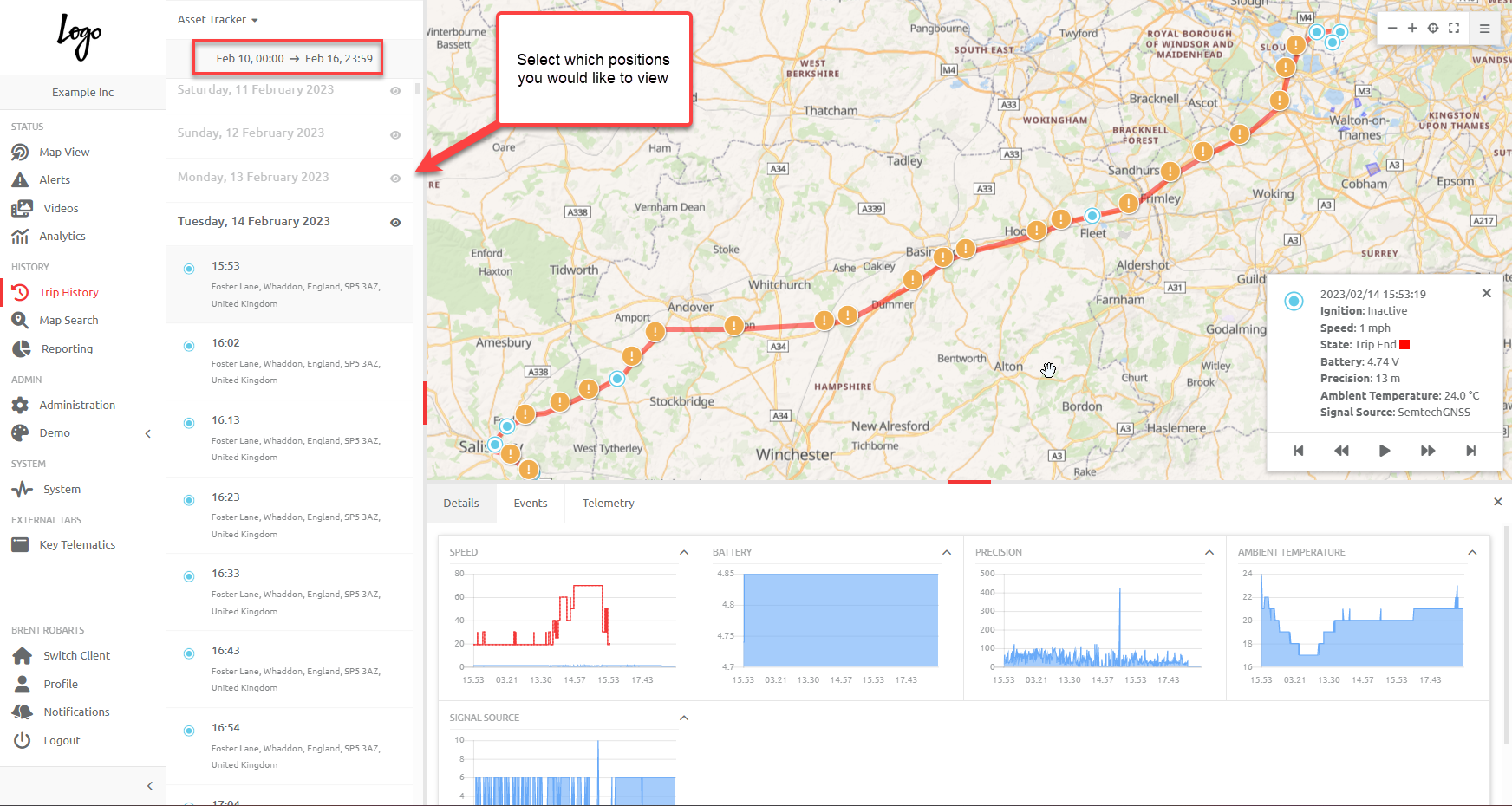
4. Trip Histories for the Asset will now be available in Trip History page and displayed for a period of seven day:
Comments
0 comments
Please sign in to leave a comment.